Poultry house inspection robotPoultry house inspection robot
A mobile inspection option for repeated aisle observations. Route width, obstacles, power, sensor set and exception hand-off must be verified in the intended house.
A mobile inspection option for repeated aisle observations. Route width, obstacles, power, sensor set and exception hand-off must be verified in the intended house.
01
Route fit
The robot requires a known aisle width, turning area and floor condition.
02
Observation scope
Camera, temperature or other sensors are selected for the inspection task, not assumed to be included.
03
Human follow-up
Alerts should reach a responsible operator with a clear response path; routine observation still matters.
02 / Equipment details
See each equipment detail in context.
Each catalogue image explains a visible structure or process; pictured configurations are not a fixed supply list.
Product catalogue visual / 01
01 / Equipment details
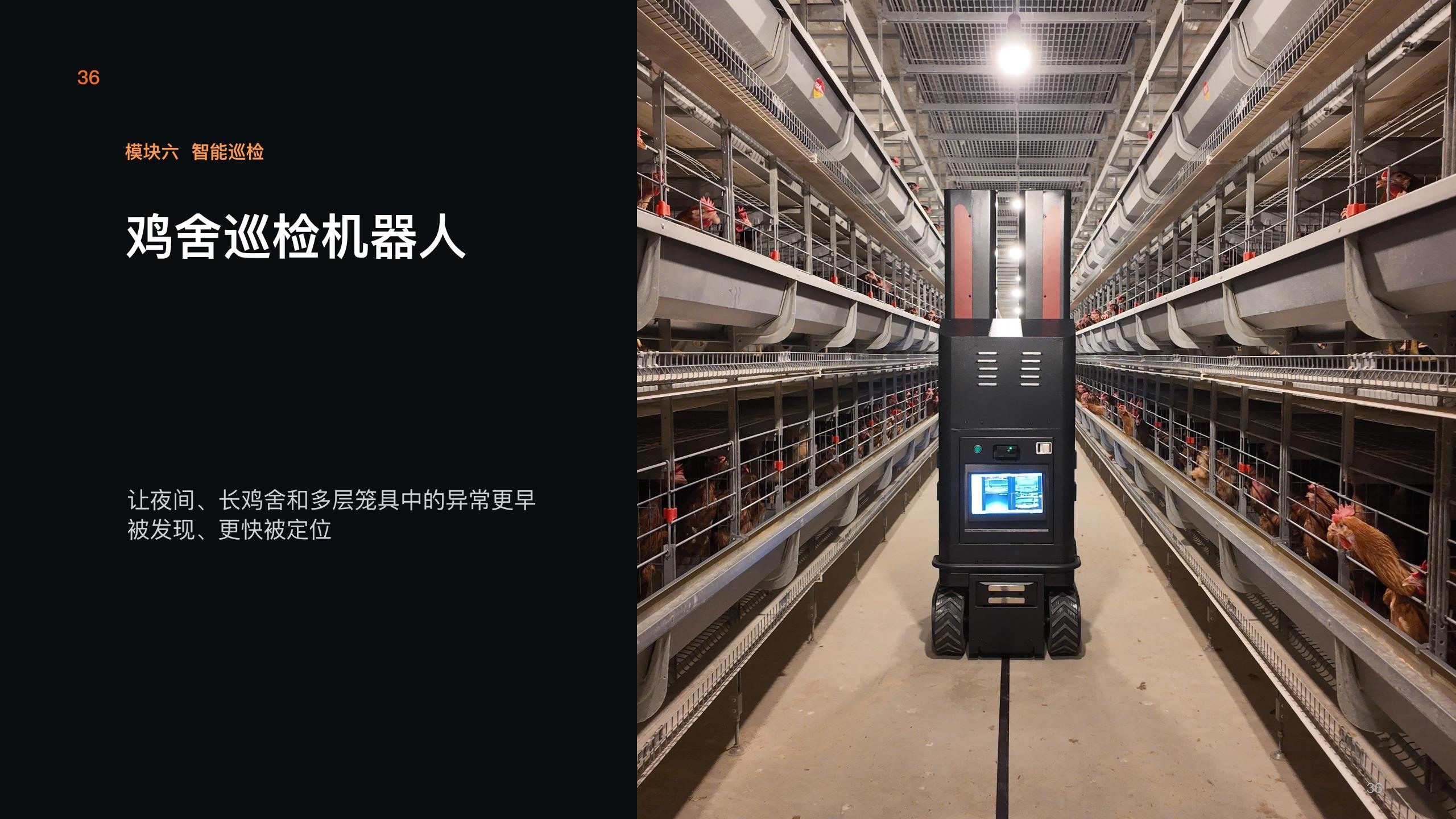
Aisle inspection scene
The cover places a robot in a cage-row aisle, showing the need for floor quality, passable width and turns. The picture does not prove a specific sensor set.
Configure for your site:Confirm aisle geometry, floor and charging position.
Product catalogue visual / 02
02 / Equipment details
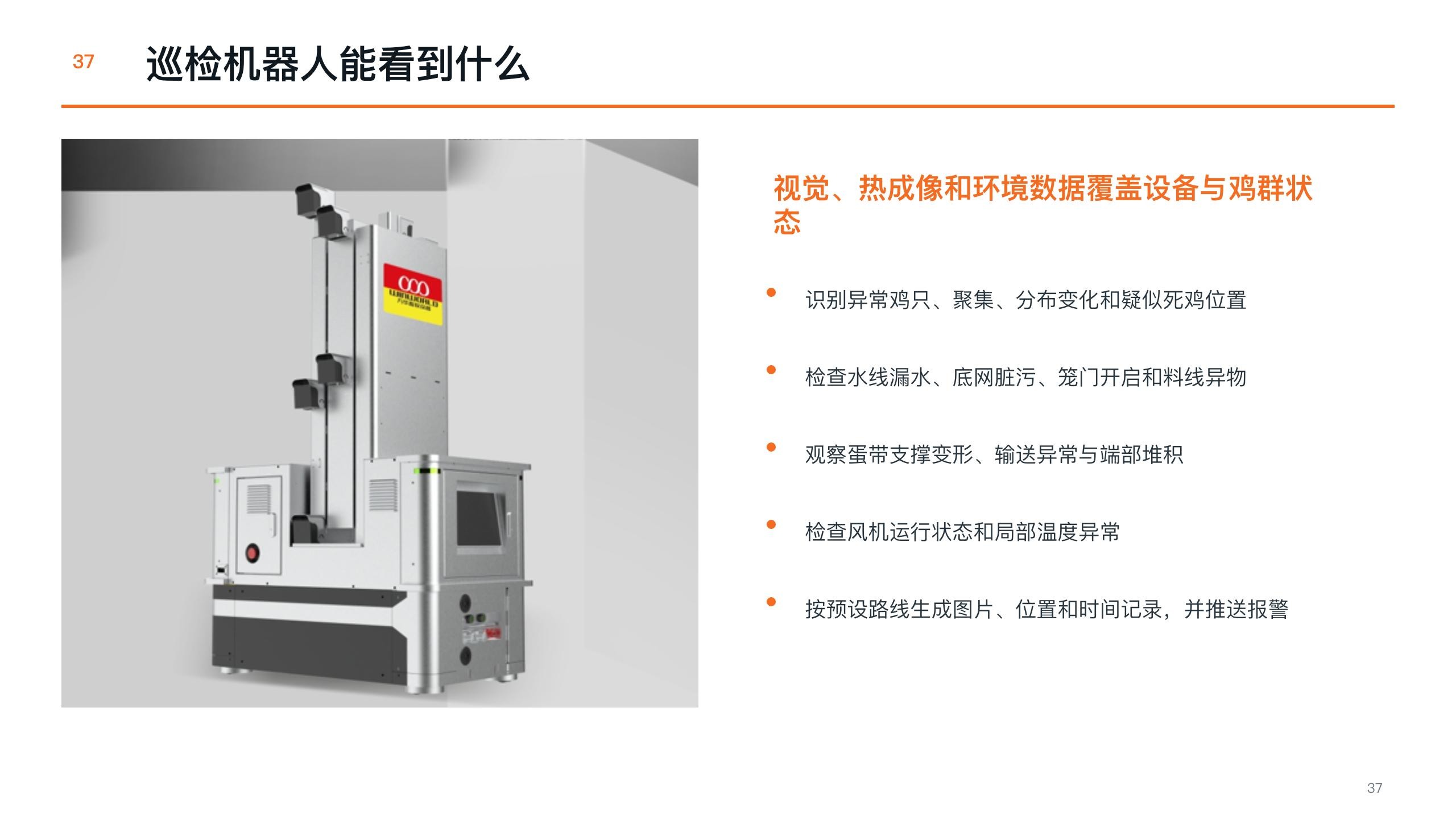
Robot equipment example
The isolated robot example differs from the aisle image and should be treated as another configuration example. Cameras, thermal imaging and environmental sensors require explicit selection.
Configure for your site:Define inspection task, sensor set, endurance and communications.
Product catalogue visual / 03
03 / Equipment details
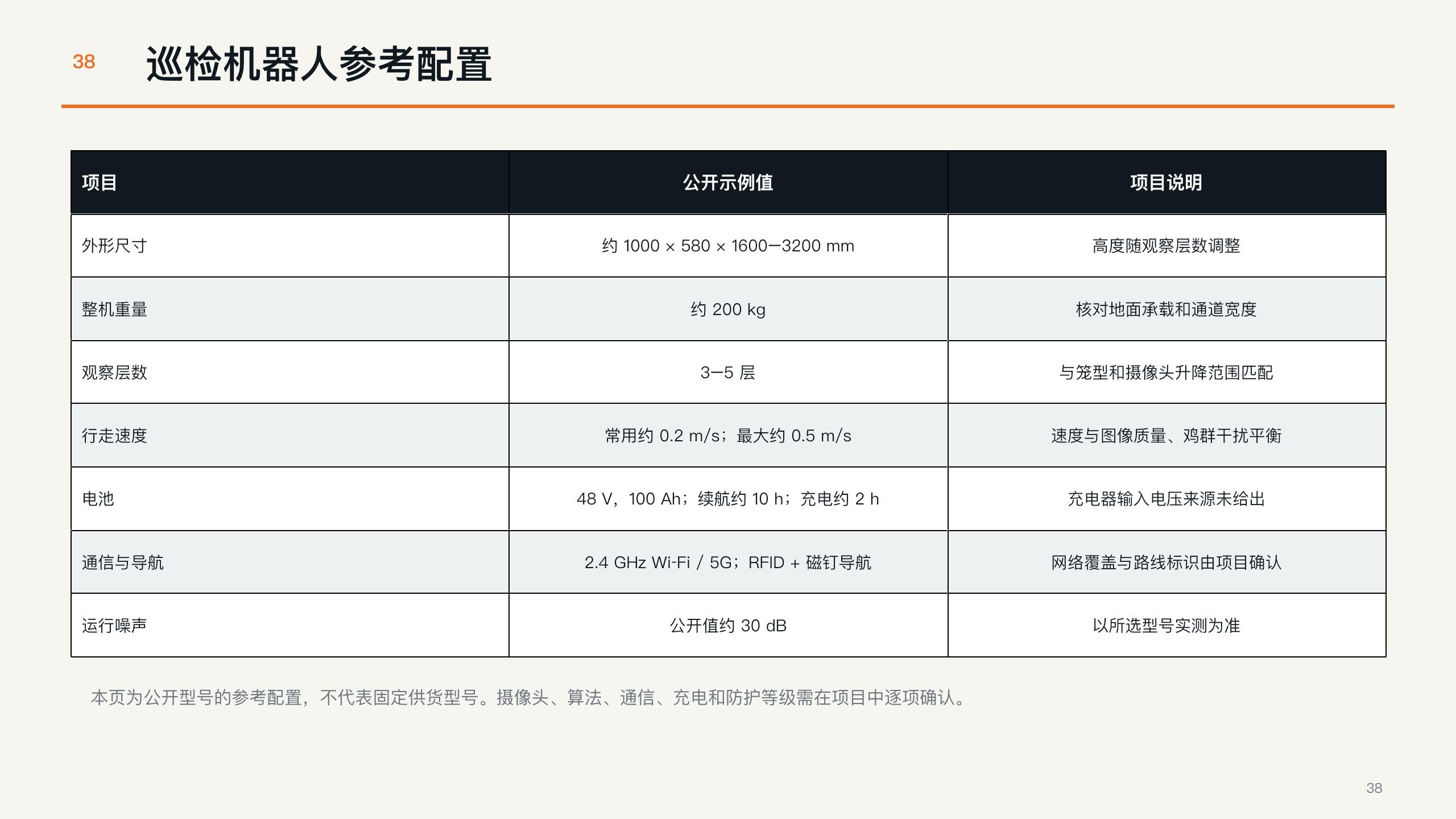
Configuration checklist
The supplied table lists reference parameters. Values need confirmation for the chosen model and must not be merged across different robot examples.
Configure for your site:Verify model, software, alerts and service scope.
03 / System connections
How the equipment connects.
Functional connection map · not a construction drawing
01
Defined route
Plan around aisle and turns.
→
02
Robot and sensors
Fit the confirmed observation task.
→
03
Operator response
Hand exceptions to a responsible operator.
05 / Catalogue references
Catalogue references
Catalogue reference figures. Confirm the selected configuration and applicable local requirements before order.
Item
Catalogue reference
Project check
Overall size
Approx. 1000 × 580 × 1600–3200 mm
Height depends on observation tiers
Unit weight
Approx. 200 kg
Check floor load and aisle width
Observation levels
3–5 tiers
Match cage tiers and camera travel
Travel speed
Typically ~0.2 m/s; max ~0.5 m/s
Balance image quality and flock disturbance
Battery
48 V, 100 Ah; ~10 h runtime; ~2 h charge
Charging input and model require confirmation
Communication / guidance
2.4 GHz Wi-Fi or 5G; RFID + magnetic guidance
Check network coverage and route marking
06 / Configuration scope
Turn a product family into a project specification.
Final model and supply scope are set in a written project specification.